Add Custom List
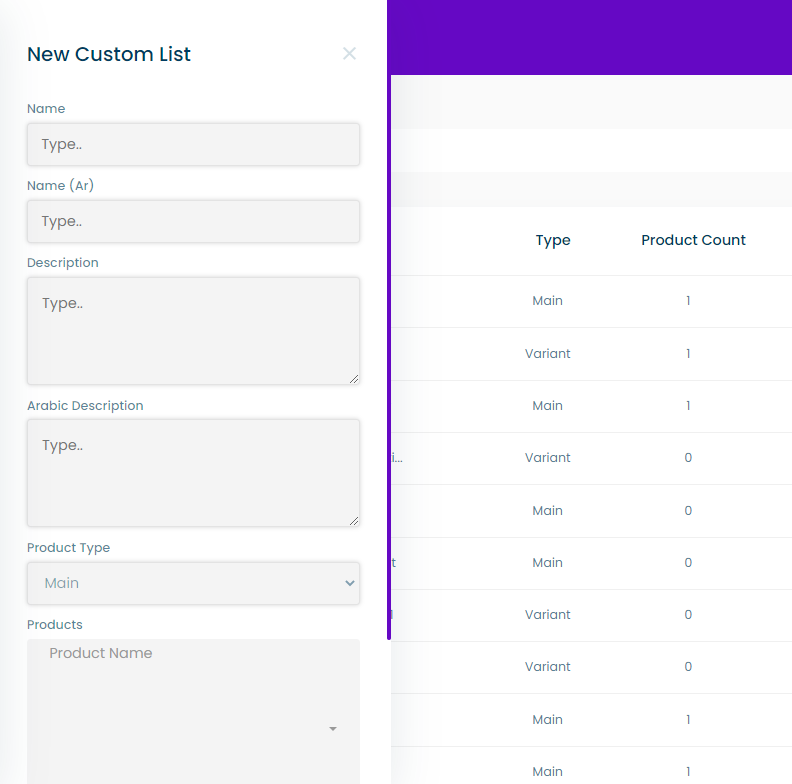
This is a side menu containing a form to add a new custom list, this form contains the following input fields:
- The english and arabic names for the list
- The english and arabic description
- Product type: the type of the products in the custom list weather it is main or variant
- Products: a multiselect dropdown for choosing the products in the custom list
tip
To add a new custom list the user must press on the “ + New Custom List ” button in the main custom list page.